By Prasanth Kumar · September 9, 2026 · updated September 10, 2026
A phone’s power comes down to two numbers: capacity in mAh (how much energy the battery holds) and charging speed in watts (how fast you put it back). Both are quoted in a way that flatters the phone. Here is what they actually mean in 2026, why battery sizes suddenly jumped, and the handful of habits that genuinely make a battery last longer.
Capacity, and why 2026 phones got bigger batteries
For years, 5,000 mAh was the ceiling for a phone that stayed thin. Then silicon-carbon batteries arrived. Replacing part of the battery’s graphite anode with silicon lets it hold far more energy in the same space — roughly 20% more, which is why 2026 phones jumped to 6,000–7,300 mAh without getting thicker, and a few showcase models now pack 10,000 mAh.
The catch: silicon swells as it charges, which stresses the cell, so silicon-carbon batteries are rated for fewer charge cycles than the older chemistry — Samsung’s regulatory filings quote 1,200 cycles versus 2,000 for the previous generation. In practice, for a phone you keep three to four years, the extra day of battery life is worth more than the cycles you give up. OnePlus, Xiaomi, Oppo, vivo and Honor use silicon-carbon widely; Apple, Google and Samsung have been slower to switch.
Why mAh alone is misleading
- Efficiency matters as much as size. A 5,000 mAh phone with an efficient chip and an LTPO screen that drops to low refresh rates can outlast a 5,500 mAh phone with a power-hungry processor. The chipset and display decide how fast that capacity drains.
- You cannot compare a phone’s mAh to a power bank’s mAh. Both are rated at the cell’s ~3.7 V, but a power bank then has to step the voltage up to 5 V or more to charge your phone, losing energy as heat. A 10,000 mAh power bank realistically delivers about 6,000–6,500 mAh into your phone.
- “Typical” vs “rated”. Brands quote the higher “typical” capacity; the guaranteed minimum (“rated”) is a few percent lower.
Charging speed: the number is front-loaded
A “100 W” phone hits 100 W only for the first few minutes, roughly from 5% to 50%. After that the speed drops steeply, and the last 20% crawls. This is deliberate — pushing high current into a nearly-full battery generates heat and wears it out — but it means the headline claim (“0–100% in 19 minutes”) hides that 50–100% takes about as long as 0–50%.
- 18–33 W: full charge in roughly 80–110 minutes. Fine for overnight.
- 45–67 W: the practical sweet spot — most of the battery back in 30–40 minutes, without a huge cost or heat penalty.
- 80–120 W and up: genuinely fast (a usable charge in 10–15 minutes), but the real-world gain over 67 W is smaller than the number suggests, and you usually need the brand’s own charger and cable to get it.
The charger-standard maze
High-wattage charging only works when the charger, the cable and the phone speak the same language:
- USB Power Delivery (PD) is the universal standard. PPS is the PD extension that most modern phones need for their higher speeds — a charger that says “PD” but not “PPS” may charge a fast phone slowly.
- Proprietary standards — SuperVOOC (Oppo/OnePlus/Realme), HyperCharge (Xiaomi), and others — hit the top advertised wattage only with the matching brand charger. A 67 W SuperVOOC phone might do just ~27 W on a generic PD charger.
- For a phone with no bundled charger, a USB-C PD/PPS charger of 33 W or more with a cable rated for the wattage covers most devices at a good speed. GaN chargers are smaller and cooler for travel.
Does fast charging damage the battery?
Not much on its own. Fast charging is front-loaded and heat-managed specifically to protect the cell, and real-world wear over two to three years is small. Heat is the actual enemy — charging in a hot car, under a pillow, or inside a thick case while also using the phone does more damage than the wattage. If the phone gets hot while charging, it will also slow the charge down to protect itself, which is why the same phone seems to charge “slower” on some days.
The 80% limit is worth using
A lithium battery ages faster the longer it sits at a high charge, especially when warm — this “calendar ageing” happens even when the phone is idle. Most 2025–2026 phones now offer a setting to cap charging at 80–90%. Using it can roughly double how many years the battery stays healthy, at the cost of a bit of screen time each day. If you mostly charge at a desk, turn it on; if you need every percent for travel days, leave it off and switch it on when you can.
Some gaming phones also have bypass charging (sometimes “direct power”): when plugged in, the phone runs straight off the charger and leaves the battery alone, so it does not heat up during a long session. Worth looking for if you game plugged in a lot.
Habits that actually extend battery life
- Keep the phone roughly between 20% and 90% day to day. Regularly draining to 0% or holding at 100% for hours both add wear.
- Leave “optimised” / “adaptive” charging on — it holds at ~80% overnight and finishes just before your alarm.
- Take a thick case off if the phone gets warm while fast-charging, and keep it out of direct sun.
- You do not need to “calibrate” a modern battery by fully draining it. That was a nickel-battery habit and does nothing useful (mild harm, if anything) on lithium-ion.
- One “charge cycle” is 100% of capacity in total — two 50% top-ups count as one. Frequent small top-ups are gentler than deep discharges.
Wireless charging and power banks
Wireless charging is only about 75% efficient against roughly 90%+ for a cable, and the lost energy becomes heat inside the phone — so it is best for slow overnight or desk-side top-ups, not a quick charge before you leave. Magnetic alignment (MagSafe / Qi2) helps by keeping the coils lined up.
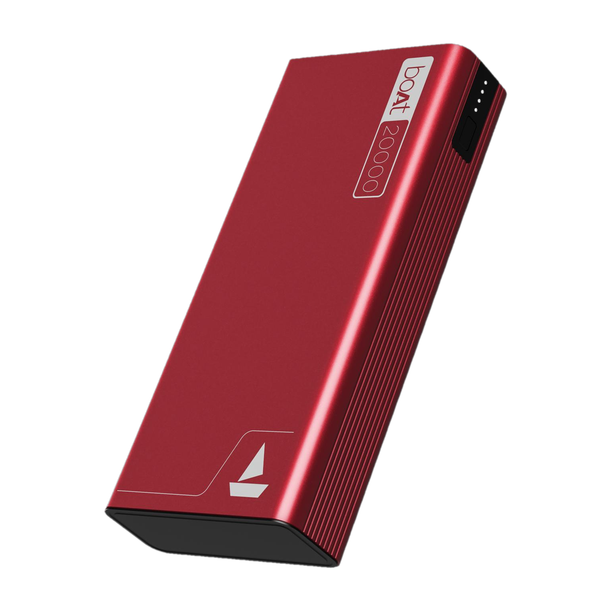
For a power bank: usable output is about 60–65% of the rated mAh (the voltage conversion again), so a 20,000 mAh bank is roughly two full phone charges, not four. Check it has a USB-C PD/PPS port at a wattage that matches your phone if you want a fast charge on the go.
FAQ
How many mAh do I actually need?
5,000 mAh comfortably lasts a full day of normal use. If you game, navigate or shoot a lot of video, look for a silicon-carbon 6,000 mAh+ phone or one with a reputation for efficiency — those now stretch to a day and a half or two days.
Is it bad to charge my phone overnight?
No, on any phone from the last few years. Optimised charging holds it at ~80% and tops up near your alarm, so it does not sit full and warm for hours.
Should a silicon-carbon battery change what phone I buy?
Not against it. The extra capacity is real and useful, and the shorter rated cycle life still comfortably covers a normal three-to-four-year ownership. If you keep phones five or six years, a conventional battery may hold up marginally better — but battery replacement is a cheap service either way.
Should I let my phone drain to 0% sometimes?
No. That helped old nickel batteries; lithium-ion prefers shallow, frequent top-ups and is happiest between about 20% and 90%. Deep discharges add wear.
When should I replace the battery?
When “maximum capacity” (shown in battery settings on many phones) drops below about 80%, or the phone starts shutting down early or feeling sluggish. For heavy users that is usually the three-to-four-year mark. An official replacement in India typically runs a few thousand rupees and is well worth it before buying a new phone.
More in Tech Explained. See real picks in our buying guides.

Prasanth Kumar is the founder and editor of technew.cloud. He is a technology professional with over 10 years of experience in DevOps, SRE, cloud computing, Kubernetes, Terraform, CI/CD and infrastructure. He writes about smartphones, laptops, graphics cards, gadgets, AI tools, and the technology and products he researches, uses and evaluates. Based in India.