By Prasanth Kumar · September 9, 2026 · updated September 10, 2026
RAM (memory) is where your phone keeps the apps you are using right now. Too little and apps reload every time you switch back to them; enough and everything stays where you left it. It is also the one phone spec you can never change later — every phone has its RAM soldered down — so it is worth getting right. Here is how much you actually need in 2026, and why the number on the box is only half the story.
Your phone is already using most of it
Before you open a single app, Android, Google’s services and the manufacturer’s skin (One UI, HyperOS, Realme UI, Funtouch, and so on) are already sitting in memory. On a typical phone that is 3–5 GB gone at idle. So a “6 GB” phone really has 2–3 GB free for the apps you open, and an “8 GB” phone has 4–5 GB. That is the number that decides how many apps stay alive in the background — not the one printed on the box.
How much you need in 2026
| RAM | Reality in 2026 |
|---|---|
| 4 GB | Calls, WhatsApp, UPI, one app at a time. Apps reload constantly. Only acceptable on the cheapest phones for a very light user. |
| 6 GB | The real floor. Fine for messaging, browsing, social media and light multitasking. Starts to feel tight after 2–3 years as apps grow. |
| 8 GB | The sweet spot for most people. Comfortable multitasking, gaming, and the on-device AI features phones are adding. Ages well for a 3–4 year phone. |
| 12 GB | Genuine headroom — heavy multitasking, 20+ apps alive, and the bigger on-device AI models (Gemini, Apple Intelligence) that want spare memory. The smart pick if you keep phones a long time. |
| 16 GB+ | Marketing for the spec race. Real benefit over 12 GB is hard to notice on a phone unless you have a very specific pro workflow. |
One thing that is new for 2026: the on-device AI features (summarising, live translation, image editing that runs on the phone instead of the cloud) keep a language model resident in memory. That is why 12 GB is quietly becoming the flagship standard even though 8 GB still covers ordinary use comfortably.
“Virtual RAM” / RAM expansion: the honest verdict
“8 GB + 8 GB”, “RAM Plus”, “Extended RAM”, “Dynamic RAM Expansion” — this feature borrows a few gigabytes of your storage and uses it as slow overflow memory. Storage is roughly 10–20 times slower than real RAM, so it is not a substitute; a “6 GB + 6 GB” phone does not perform like a 12 GB phone.
- On a 4–6 GB phone: it genuinely helps. In tests, a 4 GB phone with expansion on reloaded 3 of 12 apps versus 8 of 12 with it off. Leave it on.
- On an 8 GB phone or more: you will rarely touch the extra capacity, and it does nothing for gaming or heavy tasks. Many brands enable it by default just to put a bigger number on the spec sheet. You can usually turn it off in Settings and lose nothing — and you save a little storage and some write wear on the flash.
Why two 8 GB phones feel completely different
The bigger factor than raw RAM is how aggressively the phone’s software evicts background apps. Some skins — historically the more aggressive Chinese ones — kill background apps hard to save battery and memory, so your chat app misses notifications and your music stops when you switch away. A cleaner Android build, or an iPhone, holds far more in the background on the same amount of RAM.
If a phone forgets what you were doing the moment you leave an app, the fix is usually in the battery settings (turn off “optimise” / “restrict background” for the apps you care about) — not more RAM.
The iPhone ships less RAM on purpose
iPhones have always carried noticeably less RAM than Android flagships — and it does not matter, because iOS and its apps manage memory more tightly and Apple controls the whole stack. In day-to-day use a 6–8 GB iPhone keeps about as much alive as a 12 GB Android phone. Do not compare the numbers across the two platforms; compare within each.
More RAM does not make a phone faster
Once you have enough for your usage, extra RAM just sits empty. A phone with 8 GB, a strong chipset and fast UFS 4.0 storage will beat a 16 GB phone with a weak chipset and older storage every time. RAM stops app reloads; it does not speed up the app itself. Balance RAM against the chipset and the storage type, and do not pay a premium to jump from 12 GB to 16 GB.
You also cannot choose the RAM type (LPDDR5X, LPDDR4X, and so on) — it is tied to the chipset tier. Newer generations are both faster and more power-efficient, which is one more reason a current mid-range chip often beats last year’s flagship.
Laptops: 16 GB is the new 8 GB
| RAM | Good for |
|---|---|
| 8 GB | One task at a time — a few browser tabs, or an office document. Windows itself takes a big chunk. Tight for the way most people actually work. |
| 16 GB | The right choice for almost everyone: many tabs, office apps, light photo/video editing, video calls with other things open. |
| 32 GB+ | Serious video editing, virtual machines, large datasets, heavy multitasking. |
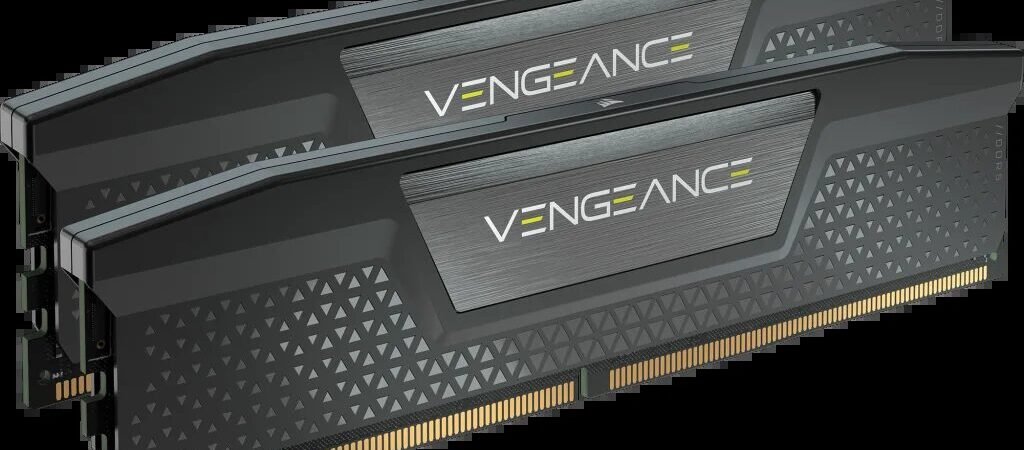
The trap to avoid: 8 GB soldered with no free slot. Most thin-and-light laptops now solder the RAM, so what you buy is permanent — stretch to 16 GB up front. If the spec page says “1 slot free” or “2 SO-DIMM slots”, 8 GB now plus a cheap stick later is fine. DDR5 is standard on new machines; for browsing and office work the speed difference over DDR4 is small.
The bottom line
- Phone: aim for 8 GB; 6 GB is fine for light use and budgets; 12 GB if you keep phones 4+ years or want the AI features to age well. Skip 4 GB unless the phone is very cheap and for a very light user.
- Laptop: aim for 16 GB; accept 8 GB only if it is upgradeable or your use is genuinely light.
- RAM stops apps reloading. It does not make a slow chip fast — balance the two.
FAQ
Does 12 GB RAM actually matter for the new AI features?
For the heavier on-device models, yes — the phone keeps a language model in memory, and on an 8 GB phone that leaves less room for everything else. 8 GB still runs the basic AI features; 12 GB gives them room to run without pushing your other apps out.
My phone has 8 GB RAM but still feels slow — why?
RAM is rarely the cause at 8 GB. More likely: a weak or throttling processor, storage that is nearly full or slow, too many apps with auto-start enabled, or an ageing battery forcing the system to slow down. Freeing up storage and disabling auto-start for apps you rarely use helps more than anything.
Should I close background apps to free RAM?
No. Android and iOS manage memory well, and force-closing apps you use often just makes them reload — slower, and using more battery — next time. Only close an app if it is actually misbehaving.
Is “virtual RAM” bad for my phone?
It is not harmful in any meaningful way, but on a phone with 8 GB or more it adds nothing and uses a little storage and flash write cycles. On a 4–6 GB phone the trade is worth it. Turn it on for low-RAM phones, off for the rest.
Should I choose more RAM or more storage?
RAM first — it can never be upgraded on a phone, while storage can be managed with cloud services, an SD card where supported, or just housekeeping. Get the RAM you need, then the largest storage you can afford.
More in Tech Explained. See real picks in our buying guides.

Prasanth Kumar is the founder and editor of technew.cloud. He is a technology professional with over 10 years of experience in DevOps, SRE, cloud computing, Kubernetes, Terraform, CI/CD and infrastructure. He writes about smartphones, laptops, graphics cards, gadgets, AI tools, and the technology and products he researches, uses and evaluates. Based in India.